Pairing by code or QR
No passwords typed on site.

 VISION
Three apps, working as one
Mobile & wearable inspector
The VISION inspector kit pairs a lightweight USB camera with an Android device carried securely in a vest or shoulder pouch — never on the helmet. Spoken alerts reach the inspector through a Bluetooth earpiece.

The kit
A compact wide-angle camera on a helmet clip approved by the helmet manufacturer — never drilled or glued — or on the chest or vest.
Runs the VISION app, connects the camera over USB-C and sends frames to the server. Kept secure, not handheld.
Plays spoken alerts in Arabic or English without the inspector looking at a screen.
Runs detection and keeps the evidence. Findings go to HSE and Head Office for review.
Operator workflow
Link the phone to your VISION organisation with a pairing code or QR code.
Findings are filed against the right project from the start.
The camera streams frames to the VISION server while the inspector walks.
Add photos, short clips and notes, or tag a hazard by hand.
Findings are spoken through the earpiece in Arabic or English.
The walk becomes a Safety Walk Report for Head Office review.
Screens
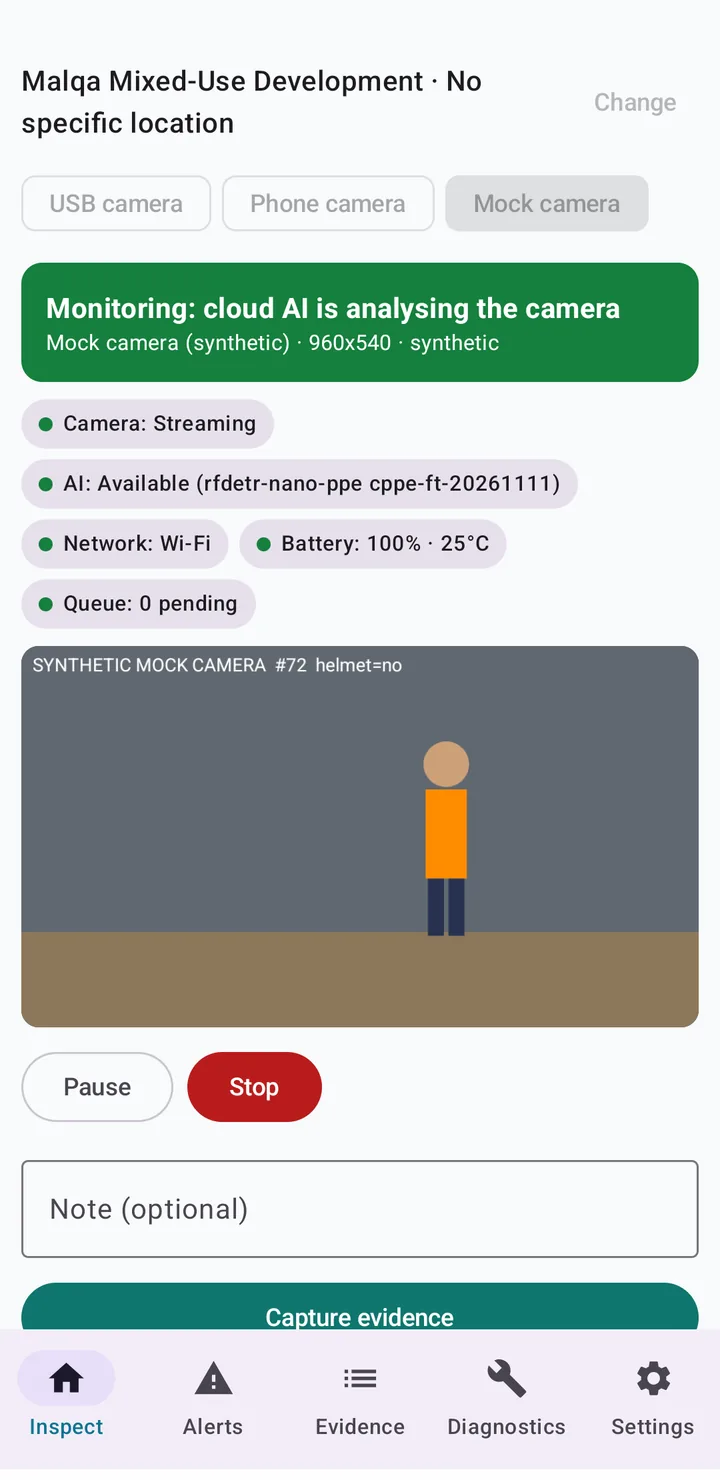
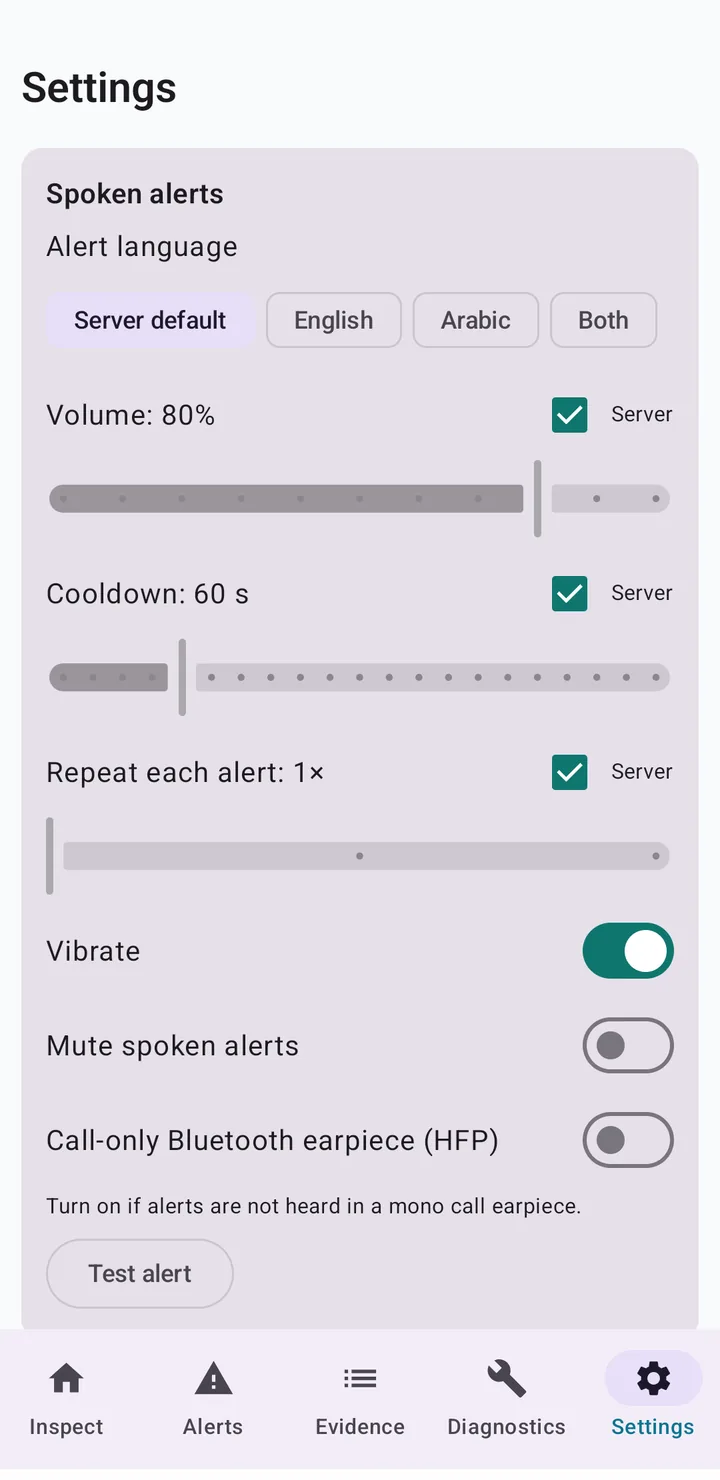
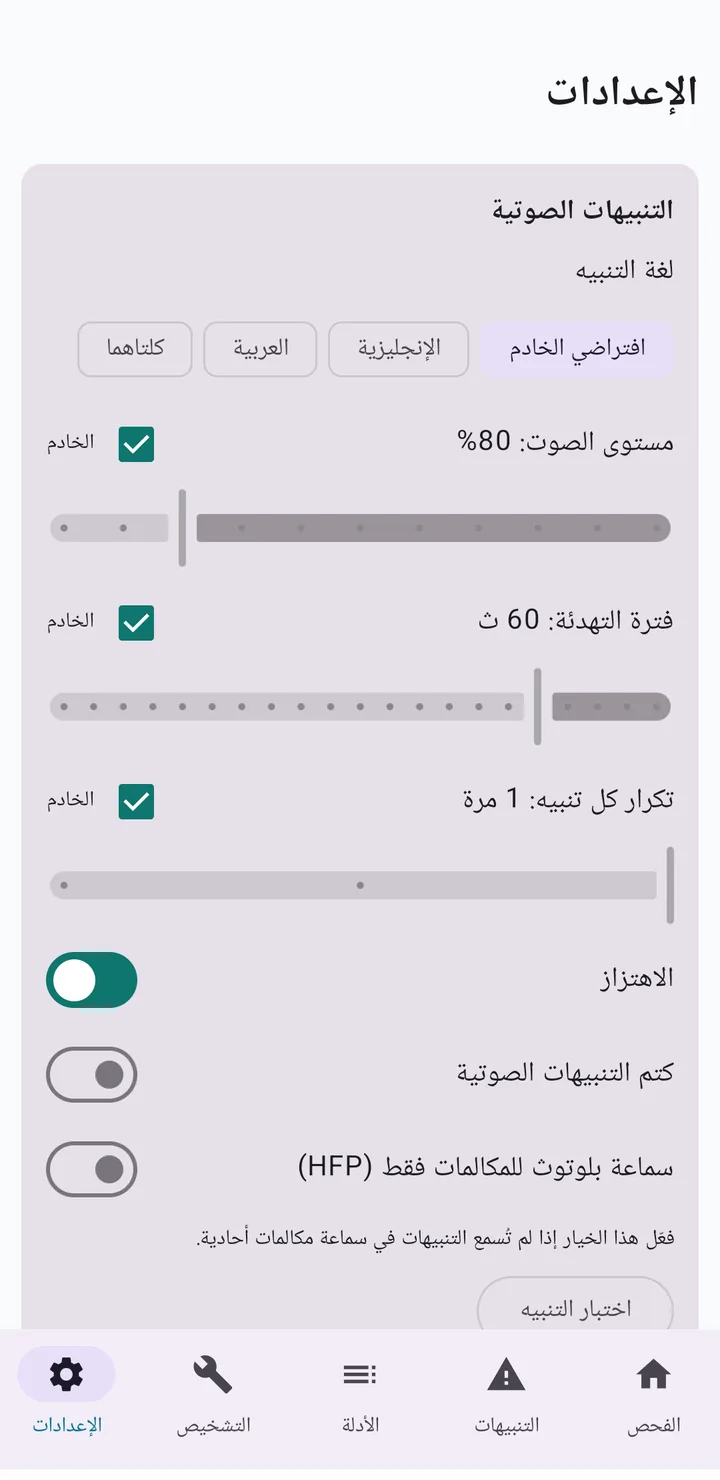
Real VISION Android app screens.
In the app
No passwords typed on site.
Photo, clip and note capture alongside the live session.
Evidence is stored encrypted on the device and uploaded when the connection returns.
Arabic or English voice warnings through a Bluetooth earpiece.
A lost device can be cut off and its local data erased.
The whole app works in Arabic, right to left.

Field reporting
Every walk produces a Safety Walk Report with its findings, evidence and an Arabic or English summary. Head Office reviews it, approves or returns it to site, and assigns follow-up. Separation of duties is on by default: inspectors cannot approve their own reports, and the person who confirmed a hazard cannot also approve it as a violation.
Real-time monitoringBook a guided demonstration. We will walk through the exhibition scenarios, the human review workflow, and what a rollout on your projects would involve.